
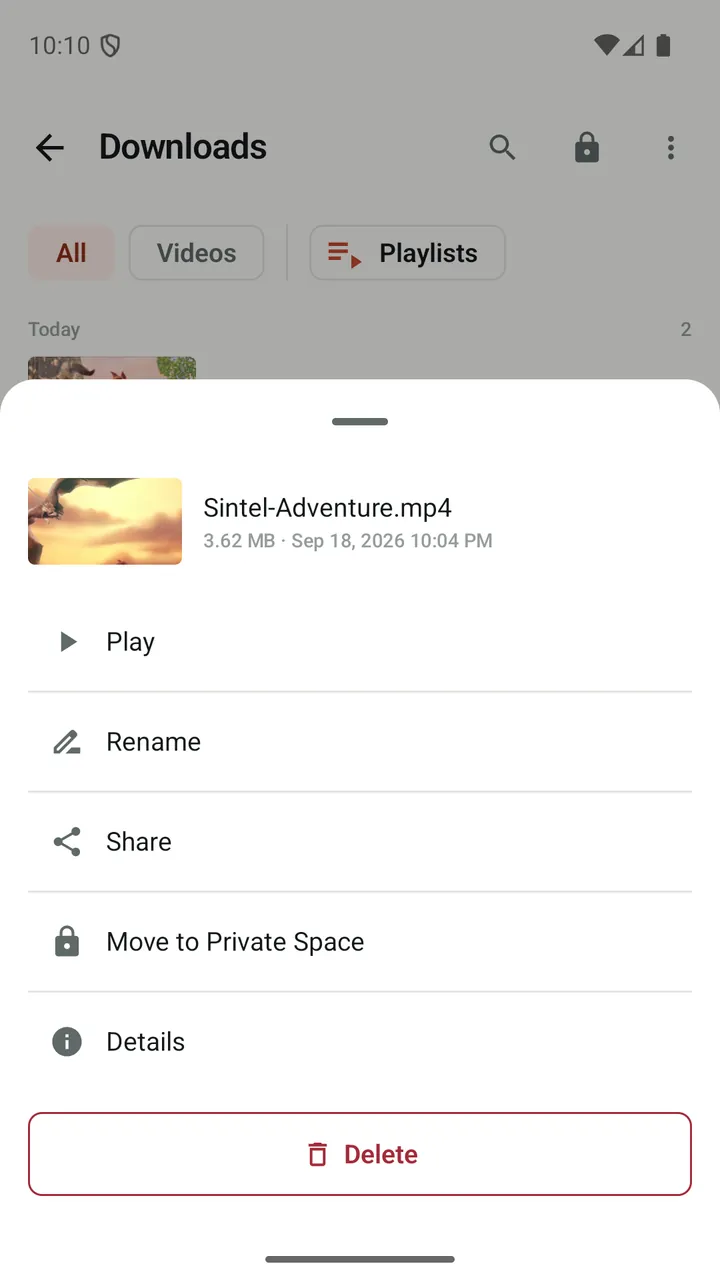
PIN first, biometrics optional
Set a 4–6 digit PIN, then turn on fingerprint or face unlock if your device supports it.
Locks when you leave
Private Space locks every time Lynvio goes to the background. There is no grace period.
Out of sight of other apps
Files are kept in Lynvio's private storage under non-descriptive names, so gallery and file manager apps do not list them.
Not in your cloud backup
The Private Space folder is excluded from Android cloud backup, so its files do not leave the device that way.
Download directly
Save a video straight into Private Space from the quality picker, without it passing through your main library.
No lock-screen previews
Private files never play in the background or show media controls on the lock screen.
How it works
- Open Private Space from the library and set a PIN.
- Long-press files to move them in, or download straight into it.
- Unlock with your PIN or biometrics whenever you need your files.
Good to know
- Private Space hides and locks files; it does not encrypt their contents.
- If you forget your PIN and biometric unlock is not available, the only option is to reset Private Space, which deletes its files.
- Moving a file from an SD card copies it, and the original may remain. Lynvio tells you when that happens.
Questions and answers
Are files in Private Space encrypted?
No. Files are hidden in Lynvio's private storage under non-descriptive names and protected by your PIN, but their contents are not encrypted. The PIN itself is stored as a salted hash protected by the Android Keystore.
What if I forget my Private Space PIN?
If biometric unlock is enabled, use it to get in and set a new PIN. Otherwise you can reset Private Space, which permanently deletes the files inside it.
What happens after several wrong PIN attempts?
After five wrong attempts, Lynvio makes you wait before trying again, starting at 30 seconds and getting longer with further failures.
More features
Video downloader
Play a video, tap the media button and save it, with quality choice, resume and automatic link refresh.
Ad blocker
Block ads, trackers and pop-ups, then fine-tune any site from the shield in the address bar.
Player & library
A built-in player with speed control, gestures, subtitles, picture-in-picture and background audio.
Browser
Tabs with previews, private tabs, bookmark folders, dark mode for web pages and nine search engines.
Get Lynvio for Android
Free to download. Requires Android 7.0 or later.