
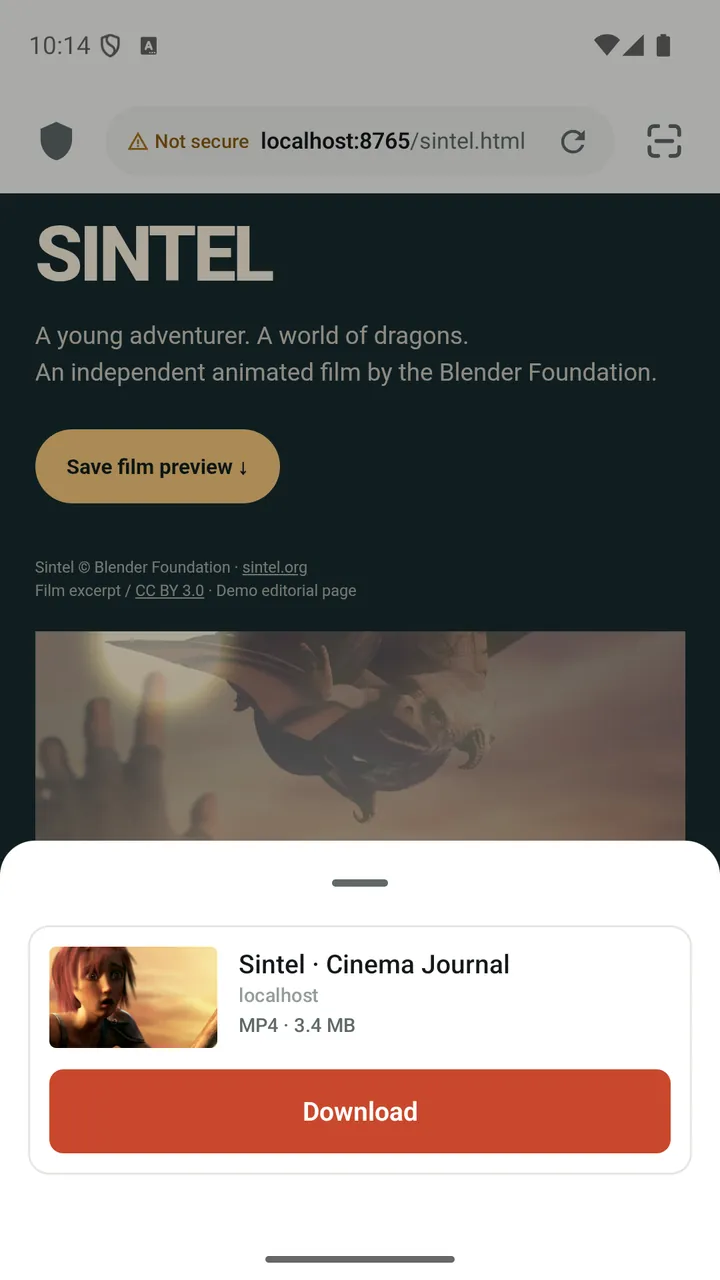
Detects what is playing
Lynvio matches the video you started with the media the page loads, so you save the main video rather than an ad or a preview.
One tap, or pick a quality
If there is one quality, the download starts right away. With several, a quick panel lists resolution, estimated size and format.
HLS and DASH streams
Segmented streams (HLS/M3U8 and DASH) are downloaded piece by piece and joined into a single playable file.
Pause and resume
Downloads pause and resume without starting over and keep running in the background with a quiet notification.
Expired links, fixed automatically
Many sites use download links that expire. When one does, Lynvio fetches a fresh link and continues where it stopped if the file is unchanged.
Download from full screen
Watching a web video in full screen? The player shows a download button once the video has been identified.
How it works
- Open the page and start playing the video.
- Tap the media button in the address bar when it lights up.
- Pick a quality if asked. The download continues in the background.
Good to know
- Detection and downloads depend on the website and media format, so not every video can be saved.
- DRM-protected videos and live streams cannot be downloaded. Lynvio does not try to bypass protection.
- Only download content you own or have permission to save, and respect each website's terms.
Questions and answers
Why does the media button not appear?
Start playing the video first, because some sites only load it after playback begins. If the button still does not appear, the site may use DRM, a live stream or a format Lynvio cannot detect yet.
Can Lynvio download DRM-protected or live videos?
No. Lynvio recognizes DRM-protected media and live streams and marks them as unsupported instead of trying to download them.
What happens when a download link expires?
Lynvio notices the expired link, fetches a fresh one and resumes if the new file matches the old one. If the file has changed, it asks you before starting again.
More features
Ad blocker
Block ads, trackers and pop-ups, then fine-tune any site from the shield in the address bar.
Player & library
A built-in player with speed control, gestures, subtitles, picture-in-picture and background audio.
Private Space
Move downloads into a PIN-protected space that locks the moment you leave the app.
Browser
Tabs with previews, private tabs, bookmark folders, dark mode for web pages and nine search engines.
Get Lynvio for Android
Free to download. Requires Android 7.0 or later.